How Does a Development Team Subscription Work?
Cloudesk Editorial · October 11, 2026
A development team subscription only works if the path from payment to shipped work is boringly clear. Fancy branding does not matter if you still chase status updates across five tools. This article walks the full loop — configure, pay, scope, build, QC, revise — the way Cloudesk runs it.
The boring version is the good version. Pay for a seat, confirm a checklist, get work with QC, revise without rewriting history in five tools. If a vendor cannot explain that loop on a whiteboard, they are selling vibes.
When the loop is clear, founders stop managing people and start accepting outcomes. That is the whole point of paying for a seat instead of collecting résumés.
Let’s talk about development team subscription the way operators talk about it: trade-offs, failure modes, and what “good” looks like when money and time are both limited.
Step 1 — Configure roles and packages

Begin on Pricing. Pick the specialist seats you need. A content-heavy business often starts with Website Developer. A SaaS startup often starts with Software Developer, then adds Graphic Design or AI / Automation when the roadmap demands it.
Choose Weekly 20h/40h when load fluctuates, or Monthly 80h/160h when shipping is continuous. Skills (WordPress, React, Python, LLM tooling, etc.) are selected on the seat at +$0 — they describe capability, they should not inflate the package like add-on marketplace gimmicks.
Step 2 — Pay first, then activate
Checkout (Razorpay on Cloudesk) activates the plan. New clients get 30% off the first purchase total. That discount is meant to reduce the fear of assembling a small team on day one.
Autopay can be enabled if you want renewals to be automatic, but it is not required. Billing remains visible so you can cancel period-end or pause when policy allows.
Step 3 — Scope becomes a checklist
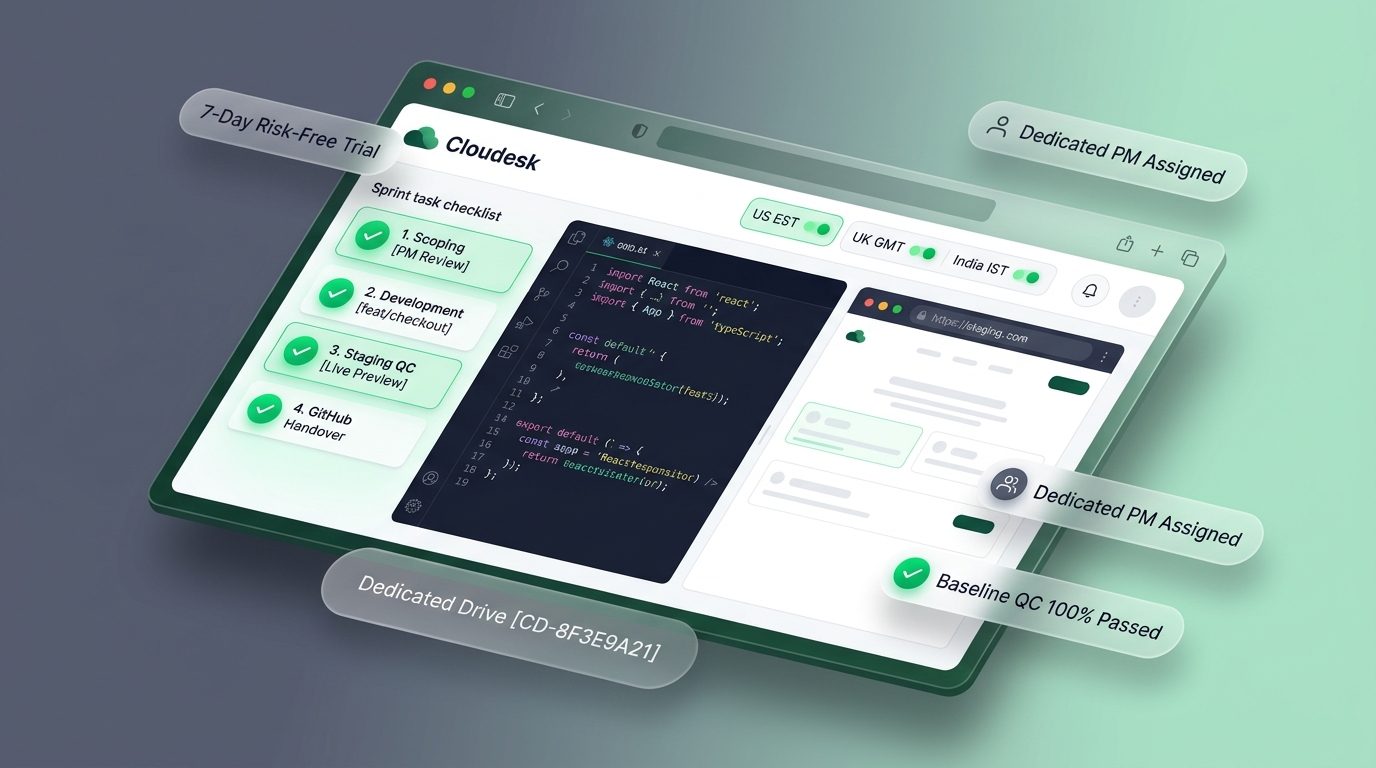
After activation, you chat with your dedicated Project Manager. You describe outcomes. The PM writes a checklist. You confirm. Only then are hours estimated against your prepaid package.
This is the anti-chaos step. Without confirmation, teams argue about what “done” meant. With confirmation, revisions attach to written items instead of vibes.
Step 4 — Specialists build in chat
Labelled specialists execute the confirmed work. You are not left reverse-engineering who owns what. Questions, blockers, and previews stay in the project thread so context compounds.
One seat keeps one active project. If marketing site rebuild and SaaS backend must move in parallel, configure a second seat rather than thrashing a single stream.
Step 5 — Baseline QC, then your review
Every delivery passes Baseline QC — free, mandatory, not an upsell. You then review. Request revisions through the PM against the checklist. Optional Quality Runner capacity exists for higher-risk flows when you want a second QC layer.
The loop repeats for the next checklist slice. Subscription value shows up as rhythm: scope → build → QC → review → next slice.
What “unlimited tasks” really means
Unlimited role-matched tasks does not mean infinite hours. It means you are not nickeled for every ticket title inside your prepaid package and active project. Hours still govern throughput. Honest PMs will tell you when the next slice needs more capacity or another seat.
Weekly vs Monthly — which package to pick
Pick the smallest package that matches your real cadence, then upgrade when you are consistently blocked on hours.
| Package | Best when | Watch-out |
|---|---|---|
| Weekly 20h | Light continuous improvements | Easy to under-scope big launches |
| Weekly 40h | Active weekly shipping | Still not ideal for large concurrent streams |
| Monthly 80h | Steady product/site roadmap | Needs a real backlog every week |
| Monthly 160h | Aggressive build phases | Do not buy if priorities are unclear |
How to tell the advice is working
You will know your approach to development team subscription is working when three things improve together: checklist items get accepted without drama, escaped bugs drop after QC, and you spend fewer hours chasing status. Invoice size alone is a lazy scorecard.
Mistakes that quietly burn money
1. Skipping checklist confirmation
If you say “just start” without confirming scope, you will argue about acceptance later.
2. Mixing two products on one seat
One active project exists for focus. Parallel products need parallel seats.
3. Measuring only hours burned
Measure checklist items shipped and defects escaped. Hours are the fuel, not the outcome.
4. Waiting for a perfect roadmap
Start with a two-week outcome. Subscription teams get better with living priorities, not frozen Gantt charts.
Before you pay anyone
Run through this once — out loud if you have a co-founder:
- Which role is the bottleneck this month?
- Weekly or Monthly based on real cadence?
- Do we have a PM-ready backlog for the first checklist?
- Will we need a second seat within 30 days?
- Is first-purchase 30% off applied in checkout?
Where Cloudesk fits
If you want the middle path between freelancers and a heavy agency, Cloudesk is built as subscription seats with chat-first PM delivery.
New clients get 30% off the first purchase total. Autopay is optional. Cancel at period end from Billing. Skills on a role are configuration at +$0, not nickel-and-dime add-ons.
Practical path: configure one seat on /pricing, complete checkout, send your PM a single outcome for the next 14 days, confirm the checklist, and judge the model on shipped work — not on slide decks.
Compare models on subscription development team, then configure on Pricing.
FAQ
When does work start after payment?
After payment and checklist confirmation — typically the same day on an active plan when your PM is engaged.
Can I change roles mid-cycle?
Seat configuration is commercial; talk to your PM/Billing about changes. Often the clean path is finishing the cycle and adjusting seats next cycle, or adding another seat.
Who estimates hours?
Your Project Manager estimates after you confirm the checklist.
Is chat the only channel?
Cloudesk is chat-first so there is a written record. That is intentional for scope and QC.
Can agencies use this flow?
Yes. Many agencies run Cloudesk seats as delivery capacity while they keep client relationships.
Can I try before I build a whole team?
Yes. Start with one Weekly or Monthly seat tied to development team subscription, run two checklist cycles, then add seats only when a second stream is blocked.
Next step
Ready to stop re-hiring for the same work? Build your seat on Pricing. First purchase is 30% off the total.
Need a AI & LLM Integration Developer?
Build production LLM pipelines, autonomous reasoning agents, vector RAG search, and custom ML workflows. Hire pre-vetted senior talent on flexible weekly or monthly subscriptions. Save up to 60% vs. in-house US payroll with zero recruiter fees and no long-term lock-in.
Explore Popular Engineering Roles